Digital Skills Library · Admin & Customer Support
How to make money with Excel & Spreadsheets
What freelance spreadsheet experts charge in 2026, the services clients hire for, and the beginner's path from no experience to your first paying client.
Difficulty
2 of 5
Very approachable to start; depth grows your rate fast
First dollar
Days to weeks
Simple spreadsheet work is an accessible Upwork on-ramp
Startup cost
Near-zero
Google Sheets is free; Excel skills transfer directly
AI-friendliness
Medium
AI helps write formulas; building reliable tools stays human
Demand
Steady
Nearly every business runs on spreadsheets and needs them fixed
Start here
Go from curious to freelance-ready
This page shows you what freelance spreadsheet work is like: the pay, the services, and whether it fits you. The full guide inside the Digital Skills Library walks you through getting started with Excel and Sheets: what to learn first, where to learn it, and how to practice until you’re ready to offer it as a freelance service. Here’s what unlocks for this skill:
- 🔒 A 4-week Excel & Spreadsheets learning plan: what to learn, in order
- 🔒 Hand-picked courses and videos, with the why behind every pick
- 🔒 The spreadsheet tools to set up on day one
- 🔒 3 work samples you can build before you have a single client
- 🔒 Ready-to-use AI prompts for everyday spreadsheet tasks
- 🔒 Which skill to add next, and why it raises your freelance rate
- 🔒 The big-picture map: first Upwork job, then better rates, then steady monthly clients
- 🔒 Updates whenever the tools and the market change
The skill, straight
What does spreadsheet work get paid for?
Excel and spreadsheet work is turning messy data into clean, useful, working spreadsheets, and at the higher end, into automated tools and dashboards. AI can help write a formula, but building a reliable tool that handles a business's real data correctly stays a human skill. Clients notice, and they pay for it.
01
Turn a mess into something a business can trust
Messy data costs real money: wrong totals, duplicate entries, a report nobody believes. You make the numbers trustworthy again.
02
Build the tool that saves hours every week
A business doing the same calculation by hand every month is spending money it doesn't have to. A working formula or template buys that time back, forever.
03
Automate the tedious part away
The best spreadsheet work sets things up so the same manual task stops happening every week. Clients pay the most for that.
Is spreadsheet work right for you?
Yes
You’re logical and detail-loving. A clean, well-built spreadsheet is satisfying to you, and you notice when a formula is wrong before anyone points it out. If you’ve ever been the one people ask to fix their spreadsheet, you already have the start of a paid skill.
Maybe
Formulas and logic frustrate you right now. They're very learnable, and the basics get you started fast, but the higher-paid work needs real comfort with logic. If pure detail work drains you, a more people-facing lane might fit better.
No
You dislike detail and data work, full stop. Clients are paying for accuracy, and a spreadsheet with a wrong formula costs them a bad decision.
Best for logical, detail-loving people who enjoy making data tidy, automated, and useful. If you're the one people ask to fix their spreadsheet, you already have the start of a paid skill.
Pick a lane
Spreadsheet services you can sell
Clients on Upwork hire for specific jobs, so it pays to pick one and get known for it. “I build automated dashboards for ecommerce sellers” wins against “I can help with spreadsheets.”
Your Free Unlock
Get the full member version of this guide, free
Everything on this page is the short version. The member guide goes all the way: the step-by-step learning plan, the tools, the AI prompts, and the practice projects that build real skill. Every person gets one guide free, and it can be this one.
Unlock This Guide Free → One Free Guide Per PersonAlready unlocked a guide, or already a member? Log in here.
How the money grows
The Excel & Spreadsheets service ladder
Four steps from your first small freelance project to steady monthly income. These prices are market averages, and premium freelancers charge well beyond them.
Starter
Spreadsheet cleanup & setup
$15–30/hr+
Cleaning messy data and building simple, organized spreadsheets. The on-ramp.
Core
Formulas, templates & reports
$30–50/hr+
Working spreadsheets a business runs on. The classic Excel setup.
Premium
Automation & dashboards
$50–100/hr+
VBA, macros, and interactive dashboards. Fewer people can do this, so it pays more.
Retainer
Ongoing spreadsheet support
$600–3K+ /mo
You're the business's spreadsheet person. Everyone starts hourly; retainers come once your rate and portfolio are built (I teach them in my final course).
Who hires spreadsheet experts?
Any business running on a spreadsheet that's become a genuine liability. You’ve heard every one of these:
People hire a freelance spreadsheet expert the moment a manual process becomes too expensive to keep doing by hand. Usually right after a mistake slipped through.
The numbers
How much do spreadsheet experts make?
Let’s start with the low number so it doesn’t catch you off guard: basic spreadsheet cleanup can start around $15 an hour, because it’s a skill almost anyone can pick up in an afternoon. The ranges below are an example of what average freelancers charge on Upwork in 2026, and they’re a good reference while you’re starting out. Inside FREELANCE with ERICA, you’ll learn how to position your services for premium pricing over time.
Beginner
$15–30/hr+
Clean data, good formatting, and simple, well-built spreadsheets.
Intermediate
$30–50/hr+
Solid formulas, templates, and reports businesses rely on.
Advanced
$50–100/hr+
VBA/automation, dashboards, and tools that save real time and money.
The difference is how you describe yourself. “Excel helper” sounds like everyone else, so clients compare prices. “I build automated dashboards for ecommerce sellers” sounds like exactly one person, so clients compare fit. And every number above ends in a plus on purpose: it’s a starting point.
One more thing, and I want you to really hear this: those ranges are averages, and averages have zero say over what you get to charge someday. As you work through my courses, you'll learn how to stack skills and position your services, so you can become a premium freelancer who charges above the market. Here's my own example: I'm a sales copywriter. Look up copywriters on Upwork and you'll see averages between $10 and $75 an hour. I regularly charge over $200 an hour for the same skill, because there are clients who happily pay for real expertise, and you only need a handful of them.
Free guide
Not sure this is your lane?
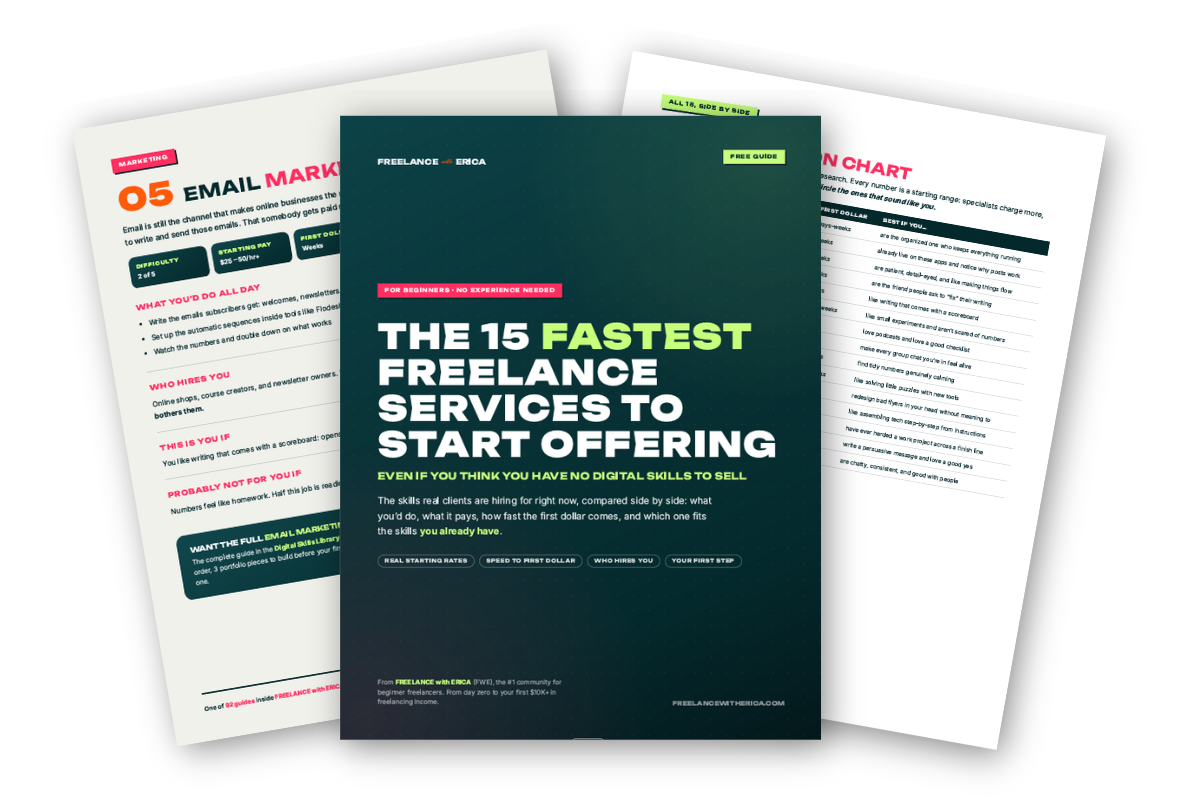
Get The 15 Fastest Freelance Services to Start Offering: all 15 compared side by side, with a clear read on which one fits the skills you already have.
📬 Go check your email!
Your free guide is on its way to your inbox right now. If it plays hide-and-seek, peek in the spam or promotions folder.
Level up later
Skills that stack with spreadsheet work
The highest-earning freelancers combine two or three skills, so one small project turns into steady monthly work.
Data Analysis
Spreadsheets are where data analysis often starts. The two skills lead naturally into each other.
Read the Guide →Virtual Assistance
Spreadsheet skills make a virtual assistant far more valuable. Many charge more by being the spreadsheet expert.
Read the Guide →Bookkeeping
Bookkeeping runs on spreadsheets. Strong Excel skills support and raise the value of finance work.
Read the Guide →Excel & Spreadsheets FAQ
Can I start with basic Excel skills?+
Yes. Many people already have the basics (simple formulas, formatting), which is enough to start with cleanup and setup work. From there you grow into formulas, reports, and the well-paid automation and dashboard work. It is one of the most accessible on-ramps.
How much do Excel freelancers make?+
Basic work runs $15–30/hr, formulas and reports $30–50/hr, and automation/dashboards $50–100/hr+ (advanced VBA specialists can go much higher). The big jump is learning automation. How you position yourself moves these numbers more than anything else.
Excel or Google Sheets?+
Both are in demand and the skills transfer. Google Sheets is free and great to learn on; Excel is the corporate standard and where advanced automation (VBA) lives. Learn the concepts and you can work in either.
Will AI replace spreadsheet work?+
AI helps write formulas and explain functions, but building a reliable spreadsheet tool that handles a business's real data correctly stays a human skill. The value has moved up toward automation and tools, where a person still has to make sure the numbers are right.
How do I get my first client?+
Upwork has "Excel," "spreadsheet," "Google Sheets," and "data cleanup" jobs. Start with cleanup and setup, then grow into formulas and automation.
Get started, $9/mo
Ready to learn the how?
The full spreadsheets guide is one piece of the starting tier. Everything on the right comes with it.
- The full Digital Skills Library, all 90+ guides
- The Find Your Freelance Ready Skills training
- The FWE community chat forum
- Weekly co-working calls
- Five monthly contests for cash
- The monthly accountability challenge
- The proposal tracker that comes with it
- Live guest trainings