Your Upwork profile looks professional. So does everybody else's.
I went looking through Upwork profiles while preparing this training, and the headlines started to look painfully familiar.
Job title. Software. Another software. A little vertical line. MORE SOFTWARE.
Put them beside a row of perfectly pleasant headshots and suddenly I'm looking at a whole page of people who could swap profiles without anybody noticing. Somewhere in there is probably a fabulous freelancer. Their profile is doing an excellent job of keeping that a secret. 🙃
This is something I look at when I review my students' profiles: how does this read beside everyone else? A profile can look lovely when you're sitting there admiring it on its own. The client is usually making a comparison.
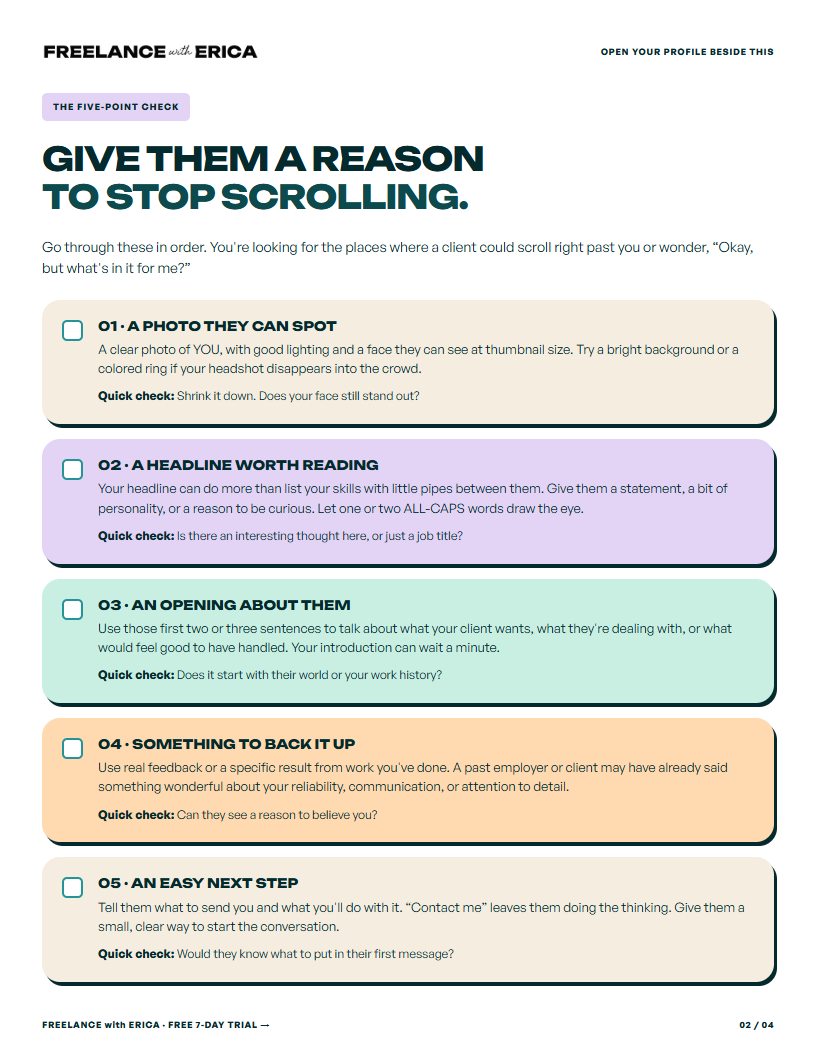
If you're wondering how to make your Upwork profile stand out, these are the five places I'd work on: your photo, headline, opening hook, proof, and the invitation at the end. We're going to give a client a reason to notice you, keep reading, and start a conversation.
I'm a top 1% Expert-Vetted sales copywriter, and this is the same kind of thinking I bring to selling a service: what does the person on the other side need to see before they care?
You don't need to become louder than your personality. You do need to give that personality somewhere to show up.
1. Use your profile photo to interrupt the scroll
First, keep the good lighting. Keep the clear photo of your face. We are not replacing your headshot with a flaming business card.
What I want you to look at is the background.
A neutral headshot can be beautiful. But when the next person has one, and the next person has one, and the next person has one, your eye gets very comfortable moving past them.
A simple, bright background gives the eye something different to register. I call this attention disruption: giving someone a small, unexpected reason to slow down in the scroll.
In the training, I show a few directions: a bright background, a colored ring, or a black-and-white photo against a bold color. The important part is the contrast. You still want the client to see you, clearly, at the tiny size the photo appears on the platform.
Start with the simplest version: a clear photo against a plain, colorful background. Take it in good light, or work with your existing photo while keeping your face natural and recognizable. A teal wall can do more for you than another afternoon debating which gray is the most professional gray.
Upwork's photo guidelines call for a clear head-and-shoulders picture with a simple background. Keep those requirements in mind before adding a treatment. No text, logos, or AI-generated replacement person. The client should recognize you if you hop on a call.
Check it small, not just full-screen
Zoom out until your photo is about the size of a profile thumbnail. Is your face still easy to see? Does the color help it stand out, or did your very enthusiastic ring eat half your forehead?
Compare it with your original. One useful change is plenty. The point is to make a good photo easier to notice, then let the words beside it do their job.
2. Your Upwork headline deserves better than a list of software
Here's the kind of headline I see constantly:
Web Designer | WordPress | Squarespace | Wix | Shopify
Yes, I can tell which tools you use. I can also tell which tools the next twelve people use. We have become a software directory.
Your headline is valuable space. I'd like you to use it to make a statement, create curiosity, bring in a little humor, or speak to an outcome the client wants.
This is where my approach differs from a lot of Upwork profile advice. I don't want you trying to squeeze your role, every keyword, and all your credentials into that one line.
Think about the situation we're using it in: you're applying to a web design job. The client knows they're considering someone for web design. You can use that space to give them a more interesting reason to look at your application.
Upwork headline examples that say something
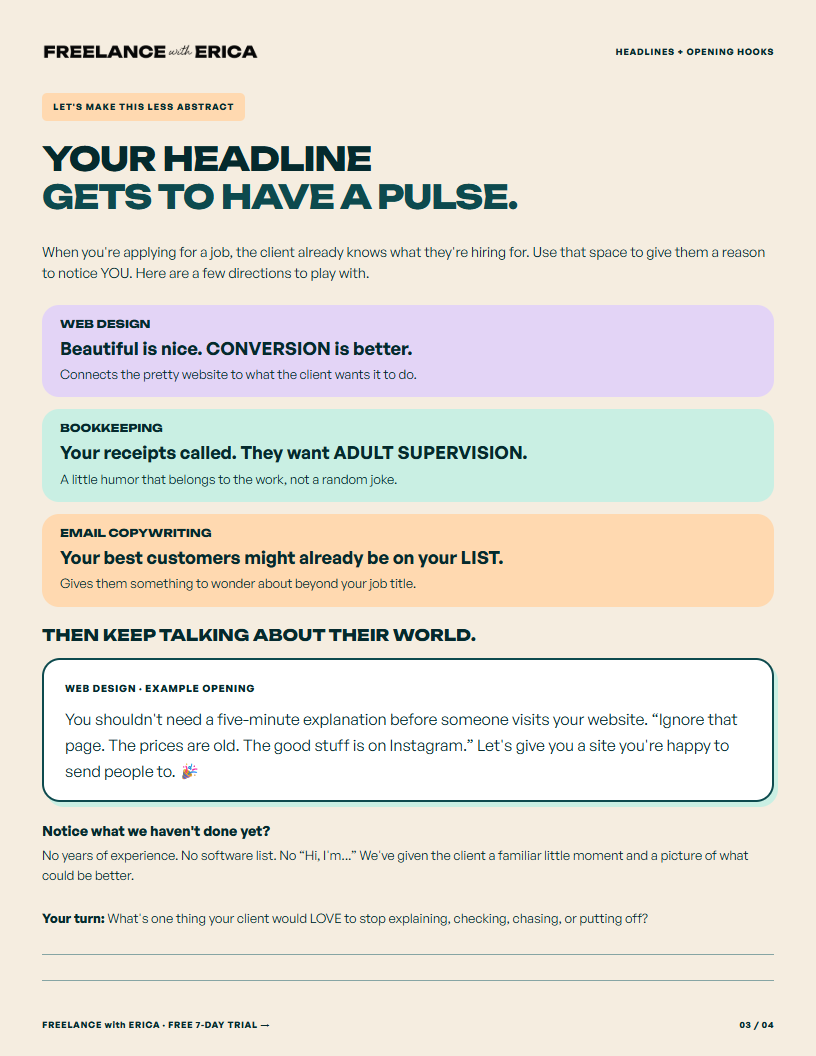
For that web designer, here are the three examples from my training:
- “I finally have a website I’m proud to send people to.”
- Beautiful is nice. CONVERSION is better.
- Your website should be your BEST salesperson.
Notice what those do. They connect the service to something the client cares about. A website that looks nice is lovely. A website that helps bring in business gives them a reason to pay attention.
That first one shows how you could use a short line from a client testimonial. It's an example, so use your own client's words. And notice the emphasis in the other two: CONVERSION and BEST give the eye somewhere to land. The capitalization is part of the example.
For a different service, the thought changes. Someone offering project coordination might experiment with “So, who's doing what by when?” Someone doing editing could try “Your best ideas, minus the sentence nobody can finish.” These are starting ideas to adapt to the work you do.
I want the humor or curiosity to belong to the service. “Professional chaos goblin” might get a laugh. It also leaves the client wondering whether you're going to organize their project or eat it.
What about keywords?
Clients can also discover freelancers through search, and your skills and service still need to be clear across your profile. My recommendation here is for beginners actively applying to jobs: test a headline that gets attention instead of automatically copying the keyword-list format.
You have other places to explain your tools, experience, and services. That first line can earn its space by making the client curious enough to read them.
Try a few directions before you choose. Read each one beside an imaginary row of “Web Designer | WordPress | Squarespace” headlines. Which one gives the client a thought they weren't already having?
3. Make the opening hook feel like it's about THEIR project
Now we've got their attention. Let's not immediately spend it on “Hello, my name is…”
Your name is already there, friend. We have made introductions. 😂
The opening hook is the first few sentences of your profile overview. Upwork explains that only the first few sentences appear in search previews. That makes this a terrible place to warm up slowly.
Photo and headline help you get noticed. Your opening needs to make the client think, “Oh, this person gets what I'm trying to do.”
A common opener goes straight into years of experience, certifications, and a description of how hardworking the freelancer is. Those details can come later. First, I want you to flip the camera toward the client.
Use “you” and “your” language
For our web designer, you might start with something like:
“You shouldn't have to send a little apology along with your website link. Let's give you a site you're excited to show people, with a clear path from ‘just looking’ to ‘how do I book?’”
That's an example for someone whose service fits that outcome. It gives the client a familiar moment: sending the link, then immediately explaining which bits to ignore.
We're getting closer to their life than “I build responsive, user-friendly websites.” That phrase is technically fine. It also sounds like it came free with the website builder.
For email marketing support, the moment could be a written newsletter that never gets sent because loading it, formatting it, and checking the links keeps getting pushed off. For admin support, it might be opening the calendar and knowing the appointments have been confirmed.
Choose the moment your service can help with. Don't invent a crisis or promise to fix the client's entire business. A small, recognizable problem can be much more convincing than an enormous vague promise.
Let the headline and hook work together
If the headline says “Your website should be your BEST salesperson,” the hook can show what that means: clearer information, a more obvious booking step, fewer visitors left wondering where to go.
You don't need to repeat the headline in a longer sentence. Use the next few lines to make the idea more tangible.
A colorful emoji or a little strategic ALL CAPS can help draw the eye. Read it back, though. If every word is shouting, we have simply created a different kind of blur.
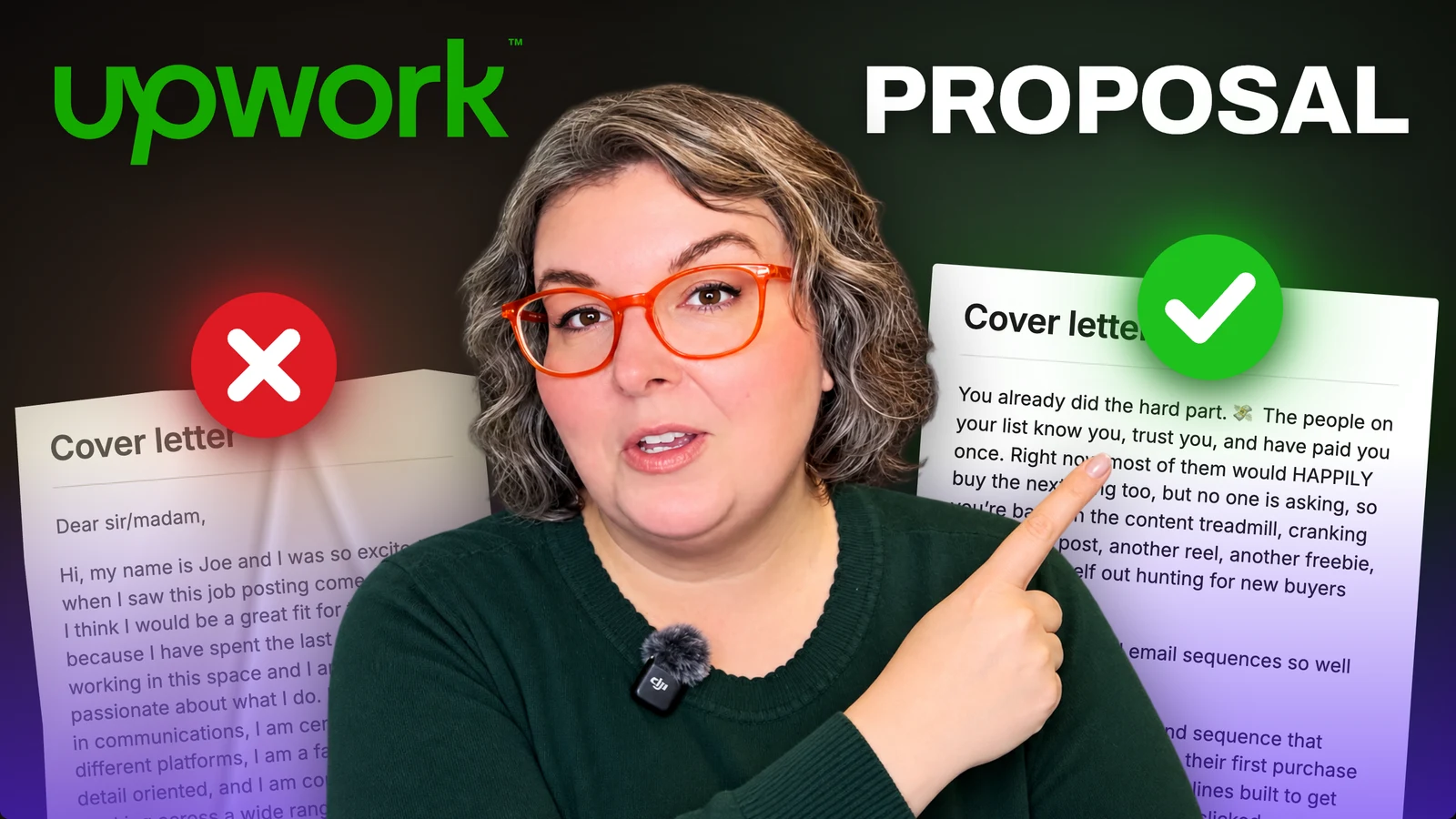
The same thinking applies to the opening of a proposal. If yours keep starting with “I am writing to express my interest,” come read my eight rules for writing an Upwork proposal. We can give that sentence a very peaceful retirement.
4. Turn your experience into proof a client can picture
“But Erica, I don't have any Upwork reviews yet.”
Okay. Have you ever had someone tell you that you did good work?
A previous client. A manager. Someone who wrote a recommendation. A performance review you saved because it was nice to have proof that somebody noticed how much you were doing.
Your useful experience didn't begin when you opened an Upwork account.
That feedback doesn't always have to come from the exact service you're offering now. A comment about clear communication, reliability, understanding instructions, or making a complicated process easier can be relevant across different types of work.
Pull out the strongest sentence
You don't need to paste a whole recommendation letter into your profile. Find the sentence or two that would help this client feel more comfortable working with you.
Keep the person's wording intact. Put the quote on its own, with space above and below it, so it doesn't disappear in the middle of a paragraph.
In the training, I use bright yellow stars to draw the eye to testimonials. If the feedback came from a manager rather than an Upwork review, label it that way. Let the reader know what they're looking at.
Here's the example from the training. Picture your own client's words here:
⭐⭐⭐⭐⭐ “She immediately understood what we needed and delivered something even better than we imagined.
One strong quote can go after your hook or partway down the profile. If you have several, spread them out where they're relevant. Let the client's eye keep finding little reasons to trust you as they read.
No testimonial? Look for a result
Think about work you've done in a previous job, for a client, or even for yourself. What changed because you did it?
One of the hypothetical examples I use in the video is reorganizing an executive's inbox from more than 3,000 unread emails to fewer than 50. You can picture the difference. “Excellent organizational skills” makes you do a bit more imaginative labor.
You don't need a dramatic number if you don't have one. You could explain that you created a shared schedule so the team could see coverage in one place, or rewrote instructions that new staff were struggling to follow. Use something you did and can explain.
Then connect it to the service. If you're offering inbox support, the inbox example is easy. If you're moving into project coordination, explain how the work demonstrates organizing information and helping someone know what needs attention.
Specific proof gives the client something to evaluate. They can see the work, the result, or someone else's experience of hiring you.
If you're starting from scratch, a relevant practice sample can help, too. My Digital Skills Library has guides to help you explore the work and practice. And you can build those samples while taking small beginner jobs to start collecting client experience. I explain that approach in how to get your first Upwork job with no reviews.
5. Give clients a specific reason to message you
We've made it to the bottom. Please don't leave them with “Let's connect!” and a vague sense that something is supposed to happen.
A call to action, or CTA, tells the client what to do next. A useful one also gives them a reason to do it.
Here's the structure I teach:
For our web designer:
“👉 Send me your current website and tell me the number one thing you wish it did better. I'll take a quick look and tell you the first opportunity I see to improve it.”
Or, if a short conversation makes more sense:
“👉 Send me a message with a few details about your project. Then we can schedule a free 15-minute Upwork call to talk through your goals and see if I'm the right fit.”
See how much easier that is to respond to? The client knows what to send and what they'll get back. They don't have to invent the first conversation.
Keep your offer SMALL
A quick look and one observation. A short conversation about whether the project fits. Something you can comfortably do before deciding to work together.
I am not asking you to give away an entire audit, build a free sample website, or spend your Saturday untangling a stranger's spreadsheet before they hire you.
And please don't make the next step a fourteen-question application followed by a scavenger hunt. One item. One detail. A useful response. We can keep this easy for both people.
Make your next edit, then give it a chance to work
You could keep rearranging your profile forever. Move the testimonial. Change the emoji. Change it back. Decide the first emoji had better energy.
At some point, we need clients to see it.
If you're building your profile for the first time, use all five checks to get it ready. If you're already applying and trying to improve your results, test one change at a time so you can learn what helped.
Your profile is one part of the process. The jobs you choose and the opening of your proposal matter, too. Changing all three at once makes it hard to tell which adjustment moved things along.
Keep notes on what you changed and watch the results over time. A quiet first day doesn't tell you much. Clients don't all review applications on our preferred schedule, which is generally immediately, please.
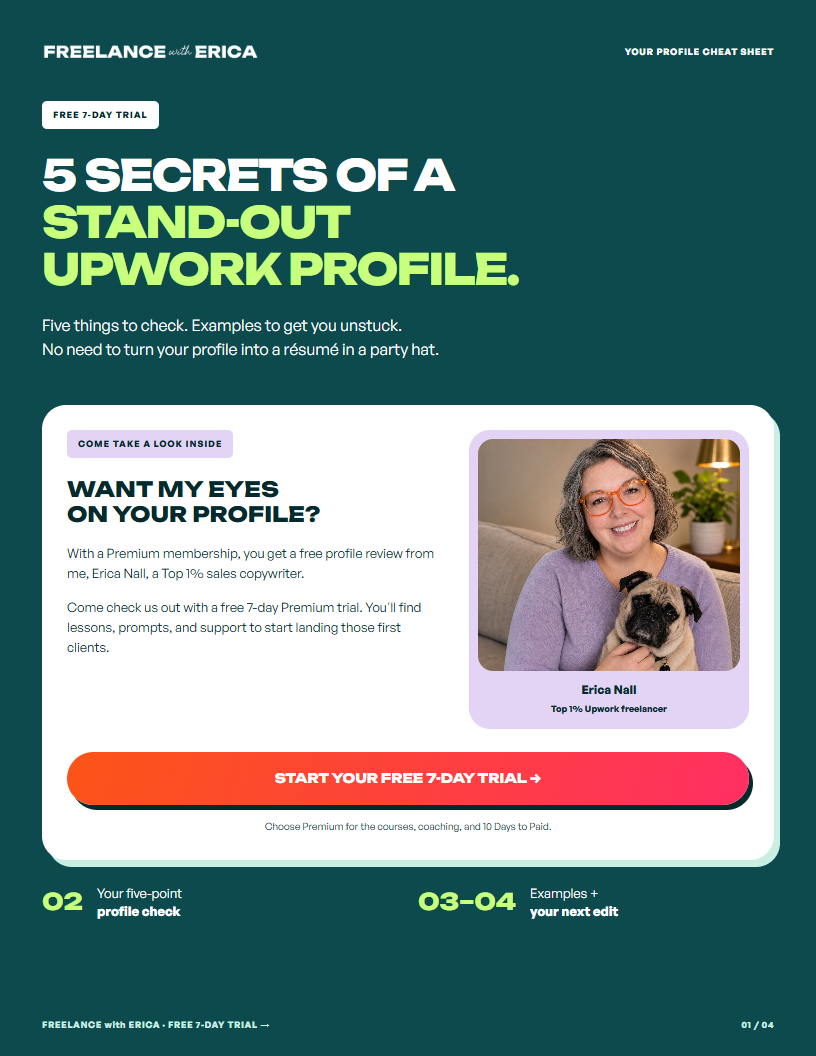
Grab the free Upwork Profile Cheat Sheet on this page to keep the five checks, headline directions, and examples beside you while you edit.
And if you'd like my feedback? With your membership, you get a free profile review from me, a top 1% sales copywriter. You can come check out FREELANCE with ERICA with a free 7-day trial.
Bring the skills and experience you have. We'll work on making sure the person reading your profile can see why they'd want to hire you. 🧡
A FEW QUICK ANSWERS
Before you open another tab…
What makes a good Upwork headline?
For beginners actively applying to jobs, I teach headlines that create curiosity or connect with a client’s desired outcome rather than listing every tool. Your service and skills should still be clear across the profile.
What can I put on my profile without Upwork reviews?
Use relevant feedback from past work, a result you can explain, or a useful practice sample. Label feedback honestly so a manager’s recommendation is not mistaken for an Upwork client review.
Should I change my whole Upwork profile if my proposals aren’t getting opened?
If you already have a reviewed profile, test one change at a time. Your job selection and proposal opening also affect what happens. Keep notes so you can tell which adjustment helped.

YOUR GUIDE · ERICA NALL
I’m an Expert-Vetted freelancer and sales copywriter. I teach beginners how to find their freelance skills, write stronger proposals, and start working with clients.
A little more about me ↗Made with Peter Gray. Peter helped bring this training to life through strategy, research, editing, and thumbnail design. Visit his YouTube for Coaching & Skool community.