“But I don't have any freelance skills.” Can we check that first?
You've been keeping schedules straight, explaining things to customers, fixing the spreadsheet nobody else wants to touch, and being the person everyone asks when something goes sideways.
Then someone asks what you could offer as a freelancer and your brain goes, “Nothing. We have never done a useful thing in our entire life.”
Very helpful, brain. Thank you for your contribution. 😂
I came to freelancing from healthcare. My job title certainly didn't say “future freelance sales copywriter.” But there were pieces of what I did that could come with me: writing, explaining complicated information, organizing things, understanding what people needed.
That's where I want you to start looking, too. Look at the tasks you've done, including outside of paid work. Your job title might not translate neatly to an online service. The work hiding underneath it often does.
If you answer the same customer questions every day, you may have a head start on writing a helpful FAQ or handling customer emails. If you're the person who plans the family trip, compares every option, and knows whose passport expires when, research and coordination might be worth exploring. (Please tell me someone else is handling snacks. You've done enough.)
And if nothing jumps out yet? You can learn a skill. You don't have to arrive here with one already gift-wrapped.
Below are 25 freelance skills for beginners, with examples of smaller services you could offer as you get comfortable. Some will feel familiar. Others will take more learning. I'm going to help you see what the work looks like, where you might fit, and how to start without volunteering to run an entire company on day three.
You can learn a skill AND start freelancing
This is where the way I teach freelancing can look a little different.
I don't want you disappearing into six months of tutorials before you're allowed to start. We both know how that can go. You finish one course, discover another thing you “need” to learn, buy that course, reorganize your notes, consider a new niche...
Suddenly you have a beautifully color-coded education and still haven't worked with a client.
You can work on two things at the same time: building your chosen skill and getting your first experience freelancing.
Inside my 10 Days to Paid Upwork Challenge, I start complete beginners with small jobs that help them get comfortable on Upwork, work with clients, and begin building reviews. You don't need to be an expert in your future specialty to get started with those first jobs.
While you're doing that, you can be learning the skill you want to grow into. Then you ease into that niche with smaller projects you can handle. For example, someone interested in email marketing could learn the software and practice building emails while taking simple beginner jobs. When they're ready, their first email project might be formatting a newsletter the client has already written.
They can keep learning the strategy, writing, and more involved setups as they go. They don't have to know all of that to format the newsletter well.
I also like beginners starting with hourly work as they move into their niche. You're still learning how long things take.
The job still needs to match what you can deliver. Being a beginner is fine. Selling something you can't do yet is where we get into trouble. Make the starting project small enough that you can do a good job, then build from there.
How to choose a freelance skill when everything sounds interesting
If you're already thinking, “Ooh, I could do that. And that. AND THAT,” welcome. You are among friends.
You can have lots of interests and still pick one thing to try first. We're choosing a starting point. You can change your mind after you've done some work and learned what you like.
As you read, keep a short list and ask:
- Which parts have I done before? Think about the tasks, even if you did them in a completely different setting.
- Would I enjoy the ordinary version of this? Video editing includes replaying the same few seconds. Community work includes answering a question someone could have found in the pinned post. Pick work you can enjoy beyond the shiny first impression.
- Does it fit my life? If you need to work at odd hours, editing a document may fit better than answering live customer chats. Both are useful. One might be much more useful to YOU.
- What is one small thing I could try? A practice project gives you something to react to. You may love doing it. You may be delighted to never do it again. Either way, helpful information!
If you're drawing a blank, take my freelance skills quiz. It can help you spot directions that fit your interests and strengths, including some you might not have considered.
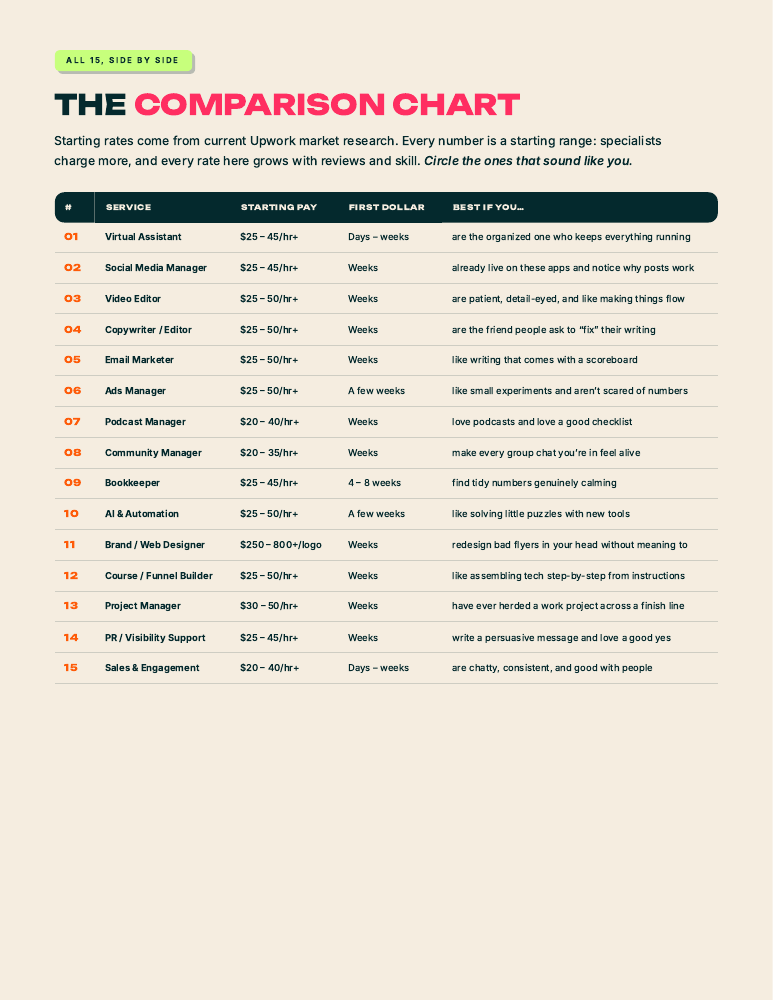
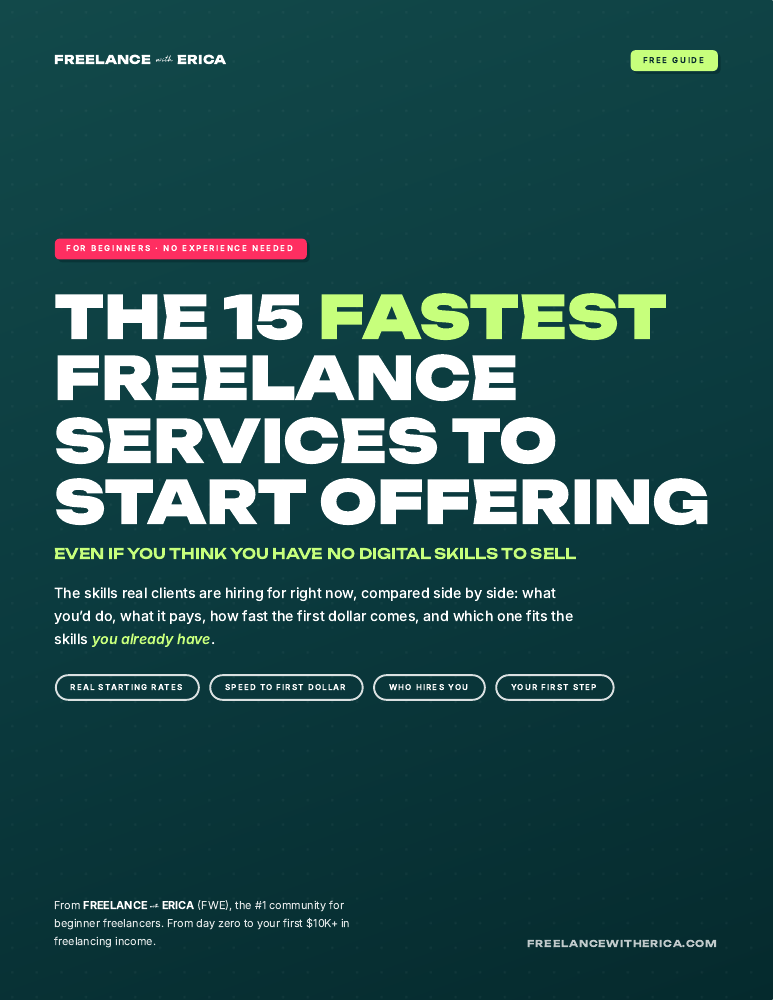
And if you'd like a shorter list to compare, grab the 15 Fastest Freelance Services to Start Offering guide below. It includes what the work involves, starting rates, who hires for it, and a first step for each.
Freelance writing and content services
1. Content writing and editing
Ever read a business's explanation of what it does and come away knowing less than when you started? Someone had to write that. Someone could also be paid to fix it.
Content writing can include articles, website information, newsletters, and helpful guides. If you've written instructions, explained a process to coworkers, or answered detailed customer questions, you have some experience to build on.
A manageable starting project could be turning a business owner's notes into a short FAQ. You get their answers and examples, organize them, and make the language easy for customers to follow. A before-and-after sample can show how you make confusing information clearer.
If you'd prefer working with something already written, explore editing and proofreading. Check what kind of help the client wants. Correcting spelling and punctuation is a different amount of work from rebuilding an article that wanders off halfway through.
Here's where your old work experience can give you an advantage: you may already know the questions customers ask in that industry. Someone who's worked at a veterinary clinic could have useful ideas for a pet-care FAQ. Someone from retail knows which product details customers keep asking about. I'd look for that overlap before assuming you need to start with a topic you've never heard of.
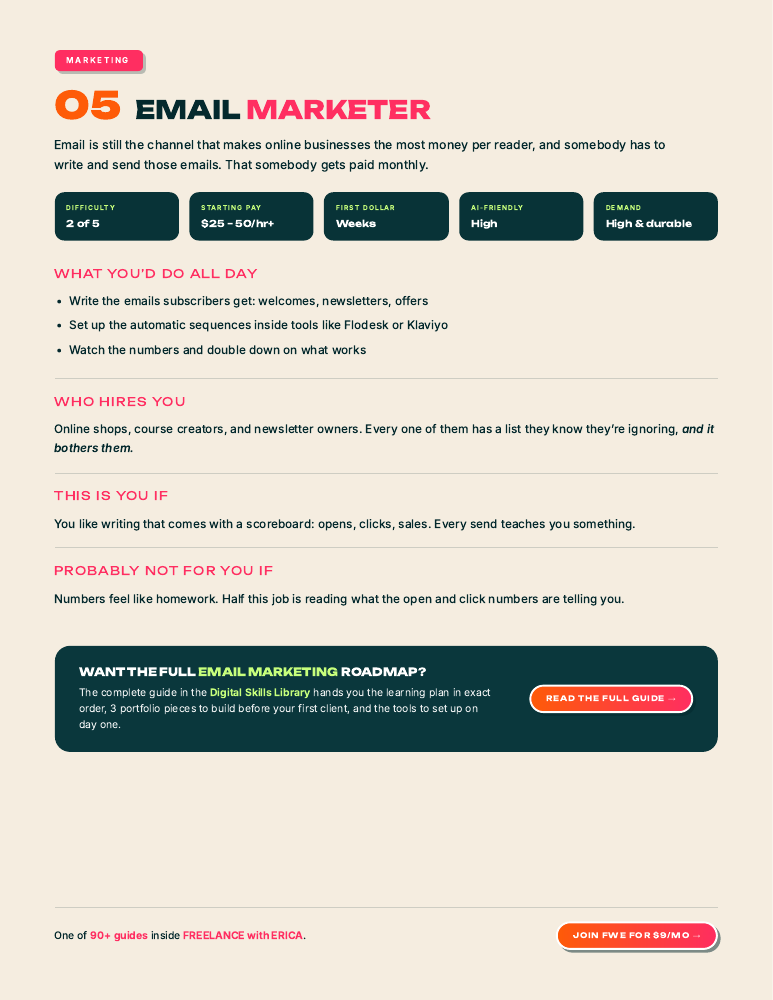
2. Email marketing support
I work in sales copywriting, so I have a soft spot for email. But there is a lot of paid work around an email before you ever get into writing something that sells.
With email marketing, someone has to load the copy, make it look good, add the links, check how it looks on a phone, and send a test. A business owner can have the whole thing written and still be putting off those steps.
You could begin by preparing one newsletter from supplied copy and images. Learn one email platform, build a sample, and practice checking the links and layout. That gives you a clear service you can explain: “Send me your finished newsletter copy and I'll get it ready for your review.”
As you get comfortable, writing emails or building a welcome sequence could be a natural next skill. You can learn those while you're already getting experience with the software.
I'd also pay attention to which part you enjoy. If writing the email feels like pulling teeth but you love making the buttons, links, and layout work, that tells you something. You can get good at the setup side. You don't have to force yourself into copywriting because that's the bit everyone talks about.
3. Social media support
“Manage my social media” can mean anything from scheduling three posts to becoming someone's entire online personality. Let's get specific before you say yes to that one.
Social media management includes several smaller services: organizing a content calendar, formatting captions, scheduling approved posts, or collecting comments the owner needs to answer.
If you're organized and comfortable learning software, you could start by preparing a batch of posts from material the client gives you. Your sample might show a week's calendar with the caption, image, link, and intended channel together.
Pay attention to whether the client needs you online at particular times. Scheduling content ahead can be flexible. Keeping up with replies throughout the day comes with a different kind of commitment. Choose the piece that fits your schedule.
And please don't rule yourself out because you don't have a big personal following. Preparing a client's finished posts uses different skills from growing your own audience. If the job is to organize and schedule, show that you can organize and schedule. The fact that your last Instagram post was your dog is not the deciding factor.
4. Podcast show notes and episode support
A podcast host finishes a great conversation, and now there's a recording sitting in a folder waiting for approximately seventeen other things to happen.
Podcast support can include episode descriptions, show notes, timestamps, guest links, and getting the files organized for publishing. You can help with those pieces while you're still learning the audio side.
If you listen closely and like pulling out the useful bits, try creating show notes for a short recording. Give a listener a reason to press play, identify the main topics, and make the resources easy to find. Check names against the recording; automatic transcripts can be wildly confident about a person who does not exist.
A clear first offer might cover the notes and timestamps for one episode of an agreed length. Longer recordings take more time, even if the final notes are short.
For me, useful show notes answer “why would I listen?” A list that says “introduction, discussion, conclusion” could describe every conversation since the beginning of time. Pull out the specific question the episode answers or the example someone would want to hear. You can show that judgment in a sample before you've ever had a podcast client.
5. Online community support
If you've ever helped run a parent group, welcomed new people into a club, or been the person everyone asks where to find things, community management might feel familiar.
I run a community, so I can tell you there are plenty of useful things happening beyond writing the main posts. New members need help finding their way around. Questions need answers. Someone shares a win and deserves to have people see it.
You could offer a daily sweep that gathers unanswered questions and links them for the owner, or help welcome new members and point them toward the right resources. Your value is in noticing people and keeping things from getting lost.
This is worth considering if you enjoy regular interaction. If notifications make you want to throw your phone into a field, perhaps keep reading. We have options. 🧡
Being good at this also means knowing which reply needs the owner. You might be able to help a member find a lesson immediately, while a question about their personal situation needs more attention. An organized handoff with the link and a little context helps the owner respond thoughtfully without having to start the hunt from scratch.
Creative freelance services you can start small
6. Canva graphics and design support
Are you the person who spends a little too long making the invitation look good? There may be a service in that habit.
With graphic design, a beginner can start with existing brand colors, fonts, and templates. Think social graphics, simple handouts, or adapting an approved design into a few sizes.
Try making a small set of graphics for a pretend workshop. Can someone read the important information on their phone? Do the graphics look like they belong to the same business? That makes a more useful sample than a collection of unrelated pretty things.
You can grow into more original design work as you learn. For now, being able to make consistent, readable graphics from a client's materials is a much clearer offer than “I can design anything.”
I'd be careful about spending all your practice time decorating. Ask what the graphic needs someone to notice first. For a workshop, can they find the topic, date, and how to sign up? A design can be gorgeous and still make someone work too hard to find the information. Learning to spot that is part of getting good.
7. Short-form video editing
You know the bit at the beginning of a video where someone checks that it's recording, clears their throat, and starts the sentence three times? A client might be very happy to pay you to make that disappear.
Video editing has plenty of small starting projects: trimming a supplied clip, adding captions, cleaning up pauses, or preparing it for a particular social channel.
Practice on a recording of your own. Make a short version that gets to the point and still makes sense. Correct the captions, especially names, and watch the export on your phone.
One important question for a client: are they giving you the section they want, or are you finding the best moment in a long recording? Those are two different jobs. Knowing that up front makes it easier to estimate your time.
I'd practice with ordinary footage, too. A clear, watchable version of someone explaining a service is closer to a useful client sample than a dramatic montage of sunsets. Keep their point intact, make the words easy to follow, and resist adding a transition every time someone blinks. We would like the viewer to survive the experience.
8. Webinar and livestream support
Some people love presenting. Some people love making sure the presenter has the right link and knows what happens next. Both are needed.
This kind of virtual assistance can include preparing the event checklist, organizing slides, collecting audience questions, and getting the replay materials ready afterward.
If you like the work but can't be available during live events, focus on preparation or replay support. A first project could be organizing the recording, worksheets, and resource links after one workshop so the owner can send them to attendees.
Live technical support takes practice under pressure. You can learn that later if it interests you. There is plenty to help with before anyone says, “Can everybody hear me?” for the fourth time.
The preparation work might be especially familiar if you've coordinated in-person events. Knowing what attendees need, what the speaker needs, and what has to happen in what order carries over. The software is something to learn; you may already have the habit of thinking ahead that makes the software useful.
9. Online course setup
A creator can record a whole course and then get stuck staring at a pile of videos named “lesson-final-FINAL-use-this-one.”
Online course setup gives that material a home. You might upload lessons, attach worksheets, label modules, and check that students can find what goes with each lesson.
Start with a supplied course outline and finished materials. Your job could be getting one module organized inside the client's platform and checking the student view. You can practice the organization even before you have access to a paid course tool.
If you've trained coworkers or organized teaching materials, you may already notice when a step is missing or a file name would confuse someone. That attention is useful here. You can learn the platform while building on something you already do well.
Check the course as someone arriving for the first time. The creator knows that “resource-v3” goes with lesson two. The student doesn't. Clear names and having the download beside the right lesson can save the creator from answering the same “where is it?” question over and over. That's a practical improvement you can point to in your work.
10. Ecommerce product listings
Retail experience can translate here beautifully. You already know customers need to know which size, which color, what comes with it, and whether the photo matches the thing they're buying.
Ecommerce support can start with preparing product listings from supplied details and photos. You don't have to begin by building a store.
Try making sample listings for a few household items. Keep the order of information consistent and show how you'd handle variations. A client with a batch of products needs someone who can keep the details straight across the whole batch.
Before taking the work, find out whether you're writing descriptions, editing images, or entering finished information. “Upload these products” gets a lot bigger if you're also expected to invent everything that goes on the page.
I would make your sample easy to check. Put the original product information beside the finished listing so someone can see you kept the details accurate. A lovely description loses a bit of its charm if the customer receives the wrong size. Your retail brain that catches those details belongs on your list of useful skills.
Organization, admin, and business-support skills
11. Project coordination
If your natural response to “we should do something about that” is “okay, who's doing it and when?” I have a category for you.
Project management and coordination can begin with organizing tasks and following up on agreed next steps. Experience coordinating shifts, events, appointments, or group projects can give you a head start.
For a small first project, turn meeting notes into a clear task board using the client's process. Each task should show what needs doing, who owns it, and the agreed date. Someone opening it should be able to see their next step without rereading the whole meeting.
You can help maintain that system as you get comfortable. Taking responsibility for a whole launch can come later. A tidy, up-to-date board is already useful to a busy team.
Don't get so caught up in making the board impressive that nobody wants to use it. If a teammate needs a guided tour to mark a task done, you've probably made more work for them. I'd practice making the next action obvious and keeping completed work from looking like something everyone still needs to chase.
12. Process documentation
Ever been asked to “just show the new person how you do it” because the instructions apparently live inside your head? You have met the problem this service helps solve.
Process documentation is a useful part of business writing. You turn someone's explanation or screen recording into instructions another person can follow.
A first project could be documenting how a business handles one routine task. Include the steps, screenshots where they help, and what the finished result should look like. Then see whether someone can follow it without you standing beside them narrating.
You don't need to redesign their entire operation. Helping a business owner stop explaining the same task every time someone new joins is a very practical service.
Your advantage can be noticing what the experienced person skips. They say “then send the usual email.” You ask where that email lives and which parts change. That little question can turn an instruction only they understand into something another person can use. You can be new to their business and still be helpful precisely because you need the missing step explained.
13. Bookkeeping admin support
If you like numbers, receipts, and knowing where everything went, explore bookkeeping. There is more to learn here before you take responsibility for someone's books, but you can start with supporting tasks.
For example, a bookkeeper may need help organizing receipts and matching up the supporting documents they're waiting on. Working to their instructions gives you a defined job while you learn how the process works.
Try organizing fictional receipts into a clear folder and tracking sheet. Could the bookkeeper find the document they need? Can they see what's missing?
Keep the first offer honest about your training. Organizing documents and reconciling accounts require different knowledge. If you enjoy the support work, you can keep learning toward the more involved services.
I wouldn't choose this just because you're “good at math.” Think about whether you like checking small details and following up on missing information. Finding the receipt that explains a transaction is part of the day-to-day work. Enjoying that kind of puzzle may tell you more about the fit than how you felt about algebra.
14. Spreadsheet cleanup
Some people open a messy spreadsheet and immediately know what they'd fix. Other people close it and go make coffee. The second group may happily hire the first.
Excel and Google Sheets services can include cleaning up formatting, organizing information, identifying duplicate entries, and creating simple summaries.
Make a before-and-after sample with fictional data. Show how you made the information easier to use: consistent dates, clear column names, a filter that works, and a summary that answers a useful question.
You can offer those basics while learning more advanced formulas. Keep an original copy and clarify what should count as a duplicate. Two people having the same name does not mean one of them should disappear from the customer list.
Ask what the person needs to DO with the sheet. Are they trying to see which orders are late? Find customers who need a follow-up? Compare expenses? That answer helps you make a useful improvement. You can learn an impressive formula later; sometimes a clear filter solves the problem they're paying you to fix.
15. Appointment setting
Reception, customer service, and scheduling experience can all give you something to build on with appointment setting.
Some roles involve cold outreach and sales. Others involve following up with people who already asked about a service and helping them book a call. Read the details so you know which conversation you're signing up for.
A smaller starting role could be handling warm booking requests using a business's existing process. You answer the scheduling questions, help people find a time, and keep the calendar details straight.
If you need quiet, uninterrupted availability to do the work, factor that into your decision. A job can be beginner-friendly and still be a terrible fit for a house where someone is always yelling “MOM.”
Also, find out where your responsibility ends. Are you helping someone choose a time, checking that they're a fit, or convincing them to buy? A friendly scheduling conversation may suit you even if you have zero desire to do sales calls. The job title alone won't tell you which one the client means.
Marketing and research services
16. Lead research and list building
If comparing options and finding obscure information sends you into a happy little research spiral, lead research could be worth a look.
A lead is a potential customer. A client might need a list of businesses in a certain location, of a particular size, that offer a specific service. Your job is to find the ones that fit and organize appropriate public business information.
For a sample, choose a pretend client's criteria and build a small list. Include your source links and explain why each business belongs. A short, relevant list is much more useful than a giant collection the client has to sort again.
Research and contacting those businesses can be separate services. You can begin with the research while learning more about outreach.
Before building a huge list, a small batch for the client to check can catch a misunderstanding early. Maybe “local businesses” meant independent shops, and you've found branches of national chains. Getting that clarified after a few examples is much nicer than after an entire spreadsheet. This is also a good way to learn how clients describe what they're looking for.
17. SEO content support
Search engine optimization, or SEO, helps people find a website through search. It has plenty of depth, but there are smaller tasks within SEO work that you can learn first.
You might help update an article using a content brief, check links, or organize a list of website pages and their titles. If you're good at noticing details and following a plan, that can be a useful starting point.
Try reviewing a few pages on a practice site. Can you spot a link that goes nowhere, a heading that doesn't explain the section, or a question the page never answers? Show the specific improvement you'd make.
I would start with supporting someone who already has a strategy. You can learn why they're making those decisions as you help carry them out. Promising a Google ranking on your first project is an unnecessary amount of excitement for everyone involved.
Experience with the subject can help here, too. If you've worked in an industry, you may spot a customer question an article completely misses. Tell the person you're supporting what you noticed. Knowing the software and knowing what a reader is trying to figure out are both useful, and you may already bring the second one.
18. Paid advertising support
Paid social advertising involves more than clicking the button that spends the money. There are images, headlines, links, different versions, and results to keep organized.
A campaign manager might need help preparing the creative files and copy in a clear handoff sheet, or pulling numbers into a report they already use. That's a way to work around campaigns while you learn.
A sample could show a few ad variations, with each image matched to its headline and destination page. Make it easy to tell which version is which. “Final2-new-useTHIS.png” is less helpful than its creator may have hoped.
Managing the budget and choosing the strategy take more knowledge. Keep your starting offer focused on the part you can support well.
For reporting support, practice keeping the same dates and definitions across your numbers. Comparing one week's clicks with a whole month's sales can make a report look very exciting and be completely unhelpful. A clearly labeled report the manager can trust gives you a useful starting service without making you responsible for interpreting the entire campaign.
19. Podcast and publicity research
A business owner wants to be a guest on podcasts. Great. Which ones? Who listens? Do they take guests? Where do you even ask?
That research sits within marketing and public relations, and it can make a focused service of its own.
For a first project, find relevant shows for a client's topic and audience. Include what each show covers, why the client could fit, and the publicly available guest-submission information.
Your judgment matters here. A huge list of unrelated shows gives the client another job to do. A smaller list with clear reasons saves them that work. If you enjoy reading, listening, and making connections between ideas, you may like this one.
I'd look past the show's title and check a few recent episodes. A podcast called “Business Chat” could cover anything from opening a bakery to buying a multinational company. Finding where your client's experience belongs, and explaining that fit in one sentence, is what makes your research worth using.
20. Affiliate program support
An affiliate partner recommends a business's offer and can earn a commission when someone buys through their link. In affiliate program support, you're helping the business keep those partners supplied with what they need.
That might mean organizing approved graphics and email copy, checking resource links, or preparing a partner welcome packet. It's a nice combination of communication and keeping track of details.
A small project could be tidying the existing partner resource folder so someone can find the current offer details and promotional materials. Learn how the business labels its links before touching them; which partner gets credit matters.
This can pair well with email or admin support later. You can begin with keeping the materials organized and add other tasks as you understand the program.
Think about the partner opening the folder for the first time. Can they find what the offer is, which link is theirs, and something approved to share? You don't need to create the whole partner strategy to make that experience easier. If you've ever assembled an onboarding packet at work, you've done a related kind of organizing.
21. Customer review and reputation support
If you've worked with customers, you may already be good at spotting the difference between “thank you, this was lovely” and “someone needs to call this person.”
That judgment can be useful in customer service and review support. A business may need help keeping up with incoming reviews, drafting responses, and noticing repeated questions or complaints.
A first project could be a weekly summary of customer feedback, with draft replies for the owner to approve. Include where each review came from and flag anything that needs a personal response.
The work uses genuine customer feedback. No invented reviews, no promises to erase unhappy customers. Helping the owner notice that three people had the same checkout problem can be far more useful.
I'd include the customer's words with your summary so the owner can see what happened. “Customer unhappy” could mean the delivery was late, the instructions were confusing, or the item was damaged. Those need different responses. If you're good at listening without flattening everything into the same canned reply, there's a skill to build on here.
Tech and systems skills for curious beginners
22. Website updates and testing
You don't have to build an entire website to help someone maintain one. A business owner may already have a site and need the new team photo uploaded, the service details changed, or a page checked on mobile.
WordPress website support is one direction to explore. Learn how to make a small content update and preview it safely before you offer that service to a client.
If you like finding things that don't work, website and software testing is another possibility. You can document what you clicked, what you expected, and what happened, with screenshots. “The site is broken” gives a developer far less to work with than clear steps they can repeat.
Start with content or a defined test. Payments, security, and major live-site changes deserve more experience.
Being unfamiliar with the site can even help when you're testing how easy it is to use. Where would you click to book? Can you find the price? Does the menu work on your phone? The owner already knows where everything is. You can show them where a new visitor gets confused, using clear examples they can act on.
23. Simple no-code automation
Ever caught yourself copying the same information from one place to another and thought, “Surely a computer could be doing this”? That's a useful place to start.
No-code automation connects tools so a routine step can happen automatically. One simple example is sending a form response into a spreadsheet.
Practice with your own test information. Get the basic connection working, then try a blank answer or a repeated submission. You'll start to see why testing is such a big part of the service.
A first paid project should be a small connection you understand and can explain. You can build toward more involved systems as you learn. We do not need your first automation accidentally emailing someone's entire customer list a dozen times.
If you've done admin work, think about the steps you used to repeat by hand. You may already understand the process well enough to notice what a simple automation needs to handle. That experience is helpful when learning the tool. You can picture what should happen because you've been the human doing it.
24. Software workspace setup
Some people buy an organizing tool and immediately turn it into another place to lose things. If you enjoy making software feel simple, you could help with that.
A project-management workspace might need a reusable board, clear task categories, or a template for repeat projects. For customer information, you could explore customer relationship management tools, often called CRMs.
Choose one tool and learn it well. Build a sample workspace around a process you understand, such as tracking client projects. Can another person open it and know where to put things?
My preference would be to start with a client's existing process. Help them make that easier to use. You can learn more about improving the process itself as you get experience.
Try handing your practice setup to someone without explaining it first. Where do they hesitate? Which label makes no sense to them? That gives you something specific to improve. Adding more features is tempting when you're learning a tool, but making a few useful ones easy to use can be a much better first sample.
25. AI-assisted content support
AI can be very helpful. It can also take someone's perfectly normal sentence and turn it into a keynote about “unlocking transformative possibilities.” Please give me my sentence back.
With AI-assisted content creation, you could help turn a client's existing material into something useful: a recording into draft social posts, notes into an outline, or a longer piece into a short summary.
Use your own material to practice. Check whether the result kept your meaning and sounds like you. Look for details it missed or made up. The client is paying for a finished piece they can use, so your editing and judgment are part of the service.
This can be a skill you add to writing or admin work. Use the tools the client approves for their material, and get comfortable checking the output before offering to handle theirs.
Be specific about the finished service when you describe it. A client can picture “turn your recorded training into three draft posts” much more easily than “AI solutions.” And if you're still learning to write, keep practicing that alongside the tool. You need enough understanding of the work to recognize when the answer sounds polished but says absolutely nothing.
“Okay, I like one. Where do I learn it?”
This is such a good time to be learning something online. YouTube tutorials, articles, communities, books, free lessons, AI tools to help explain the part you're stuck on... you have options that don't involve signing up for another degree.
The tricky part can be deciding what to learn first. You search for a beginner tutorial and suddenly someone is talking about six tools you haven't heard of. Now you have six more tabs open. Fabulous.
That's why I built the Digital Skills Library. It has 90+ skill guides with four-week learning plans to help you start learning and getting comfortable with your chosen skill. You can explore the public guides to get a feel for the work, then use the full member guides to keep going.
Inside, I also include resource libraries with low- and no-cost options: educators and YouTube channels, books, podcasts, and communities. If you want to go deeper, you have places to look without starting the search from scratch.
The library is included in FREELANCE with ERICA, along with the courses and coaching to help you land clients. If what you need right now is help figuring out a skill and getting into it, come take a look around the Digital Skills Library.
And if you're torn between several directions, go back to the freelance skills quiz, pick a couple to explore, and try a small piece of the work. Four weeks is a starting plan to build familiarity and practice. You can keep learning beyond it, and you can discover that a skill you thought you'd love is something you would happily pay someone else to do.
That is useful information, too. Better to find out on a practice project than halfway through a giant client commitment.
How do you know when you're ready to offer a service?
If we're waiting for you to feel completely confident, we may be here a while. Imposter syndrome has a remarkable ability to ignore evidence.
Let's give you something more useful to check. Can you do the small task you're offering? Can you show a sample? Can you explain what you'll need from the client and what they'll get back?
“I can help with marketing” is hard for both of you to judge. “I can format your written newsletter, add your links, and prepare a test email for you to review” gives you a specific piece of work to practice and deliver.
You can build confidence from finishing it, getting feedback, and doing the next one.
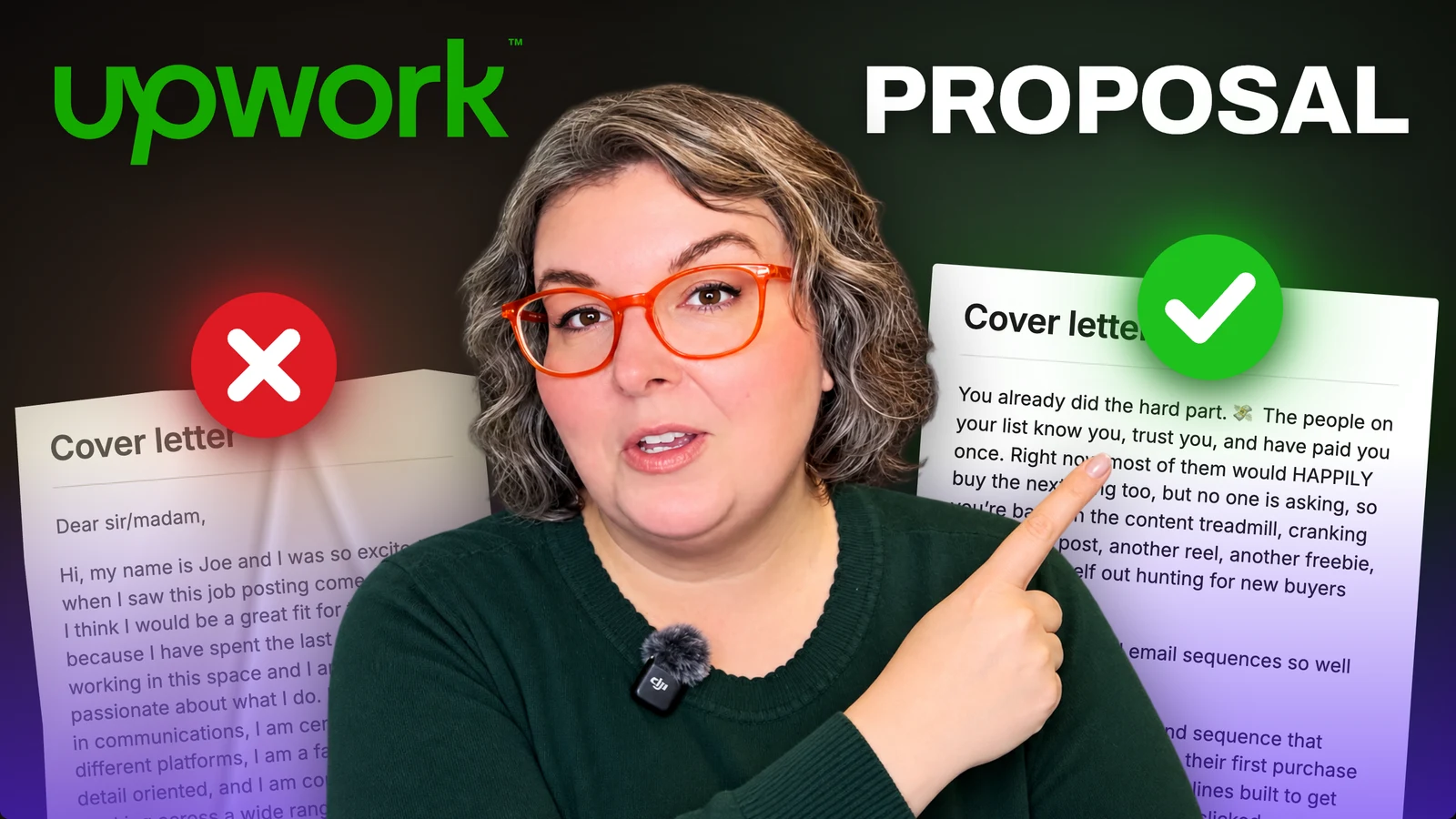
While you're learning your niche, you can also get started with the small beginner jobs I talk about in how to land your first Upwork job with no reviews. Those early experiences help you learn the platform and work toward your first client reviews. When you're ready to apply, my eight rules for Upwork proposals will help you think through what to say.
If you'd like me to walk you through the process, FREELANCE with ERICA (FWE) is my community for beginners. Your membership includes the 10 Days to Paid Upwork Challenge, the Digital Skills Library, courses, and coaching. You can come check out the community with a free 7-day trial.
I built this so you can keep putting one foot in front of the other. Find something that interests you. Start learning. Take on work you can handle. Get feedback. Keep going.
You can be a complete beginner here. You don't have to turn yourself into an expert before you're allowed to start building a freelance life you're excited about. 🧡
A FEW QUICK ANSWERS
Before you open another tab…
Can I freelance without previous freelance clients?
Yes. You still need to be able to do the work you offer, but a relevant practice sample can show what you can do before you have client work to share.
Which freelance skill should I learn first?
Start with a few that fit your interests or experience. Try a small project in each, then choose the one you enjoy enough to keep practicing. You can specialize as you learn.
Do I need to buy every tool before I start?
No. Start with the tools you need for one practice project. Check what your chosen service requires before paying for a stack of subscriptions.

YOUR GUIDE · ERICA NALL
I’m an Expert-Vetted freelancer and sales copywriter. I teach beginners how to find their freelance skills, write stronger proposals, and start working with clients.
A little more about me ↗